
FLUX 3 Generator
Edit a photo from one instruction, combine up to 10 references or lay out a poster with bounding boxes, with FLUX 3 Image Klein from Black Forest Labs. Pictures up to 4K, online in your browser, from 1 credit an image.
- Up to 4K
- 10 reference images
- Bounding boxes
- By Black Forest Labs
Make a Flux AI image online
2K · 1:1 · No watermark
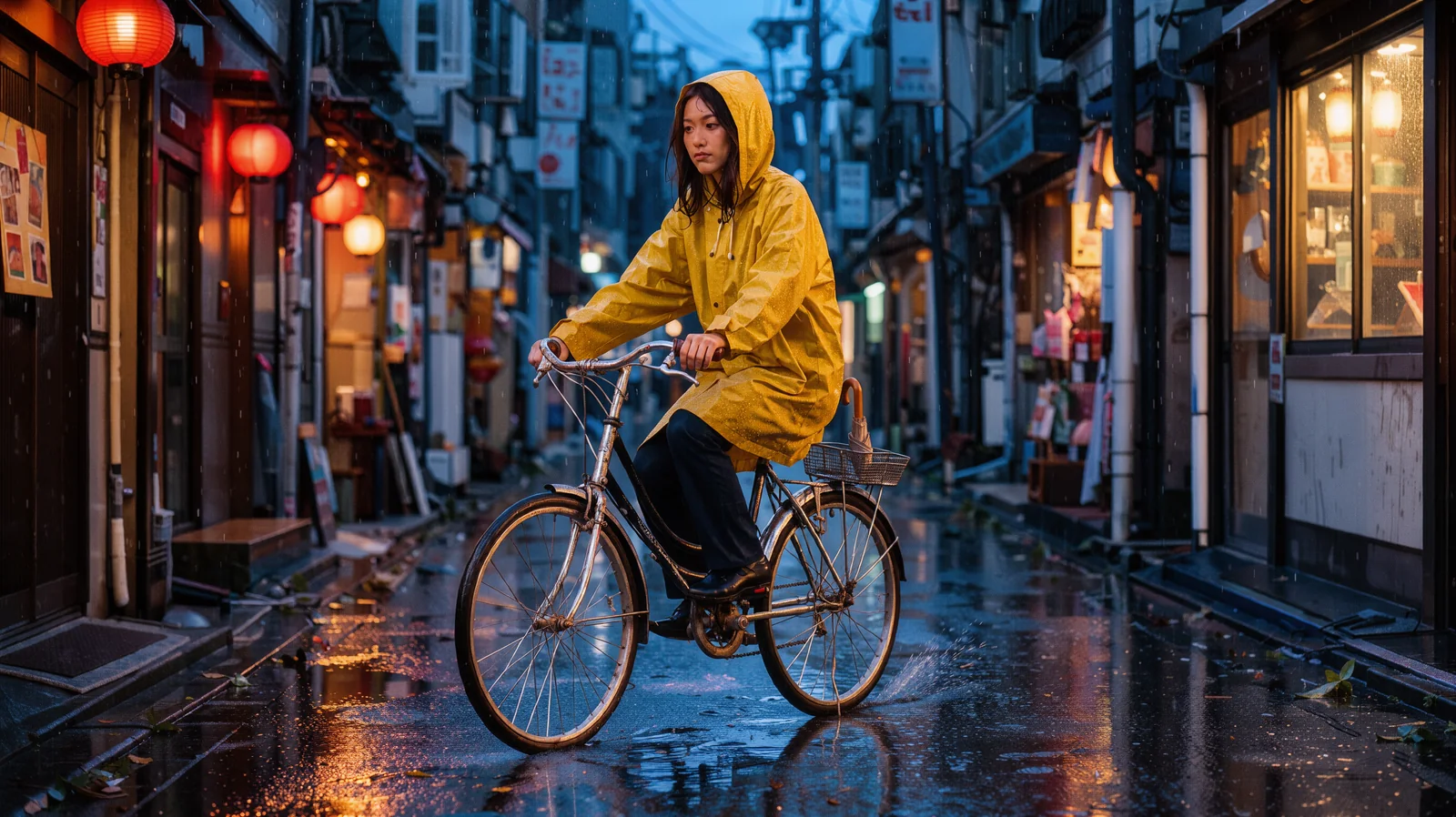 Example
What is FLUX 3?
FLUX 3 is the newest model family from Black Forest Labs (BFL), the German lab behind the Flux image models. One model learns from images, video and audio together. BFL opened FLUX 3 in Early Access on July 23, 2026, and has since released FLUX 3 Video (August 4), FLUX 3 Image (October 1) and FLUX 3 Image Klein (October 15, 2026). On Melies AI you can use FLUX 3 Image Klein in your browser, with no GPU, install or API key.
FLUX 3 Image Klein is the open-weights image model of the family, with 5.6 billion parameters. One model does three jobs: text to image, editing a photo from an instruction, and building a new picture from up to 10 reference images. BFL says Klein shares the core abilities of the full FLUX 3 Image model: native 4K output, edits that leave the rest of the picture untouched, and bounding boxes that place each element where you want it.
In BFL’s own blind evaluations, Klein ranked first among open-weights models for text to image, multi-reference pictures and editing. It came ahead of the larger Qwen-Image 2.1 (7B) and Krea 2 (12.9B), and above the closed Ideogram V4.5 and FLUX.2 [pro]. Against FLUX.2 [klein] 9B it gained 91 Elo in text to image and 70 in editing, with 38% fewer parameters. These are BFL’s tests, not independent ones.
On this site you pick one of 9 shapes (1:1, 16:9, 9:16, 4:3, 3:4, 3:2, 2:3, 21:9, 9:21; an edit can also use Auto, which keeps the first image’s shape) and 1K, 2K or 4K, or type an exact width and height from 256 to 4,096 px. A 1K square is 1024 × 1024 pixels and a 4K 21:9 banner is 4096 × 1760. Prompts run up to 5,000 characters. Save as PNG, JPEG or WebP. No visible watermark is added.
- Parameters
- 5.6B
- Reference images
- 10
- Pixels · longest side
- 4,096
- Aspect ratios + Auto
- 9
- Prompt characters
- 5,000
- Credit · one 1K or 2K image
- 1
By Black Forest Labs · run through a third-party API · not affiliated with Black Forest Labs · Last updated
What Black Forest Labs’ Klein model does well
Five things the Klein model is built for, from one-line photo edits to layouts you place yourself.
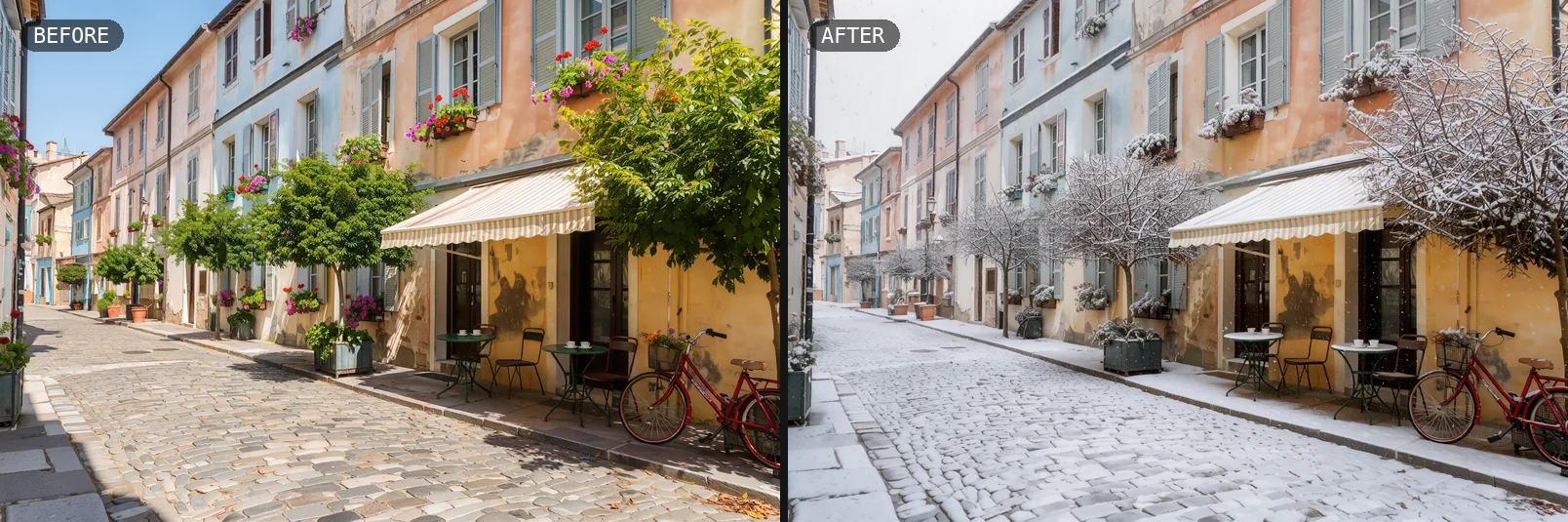
Edit a photo from one instruction
BFL built Klein for editing first. Upload a photo as @Image1 and say what to change: turn a summer street into winter, recolour a cup, add a bandana to a dog. The parts you do not mention stay as they were. Here one instruction turned a sunny street into a snowy one, and the houses, café tables, red bicycle and camera angle stayed the same.
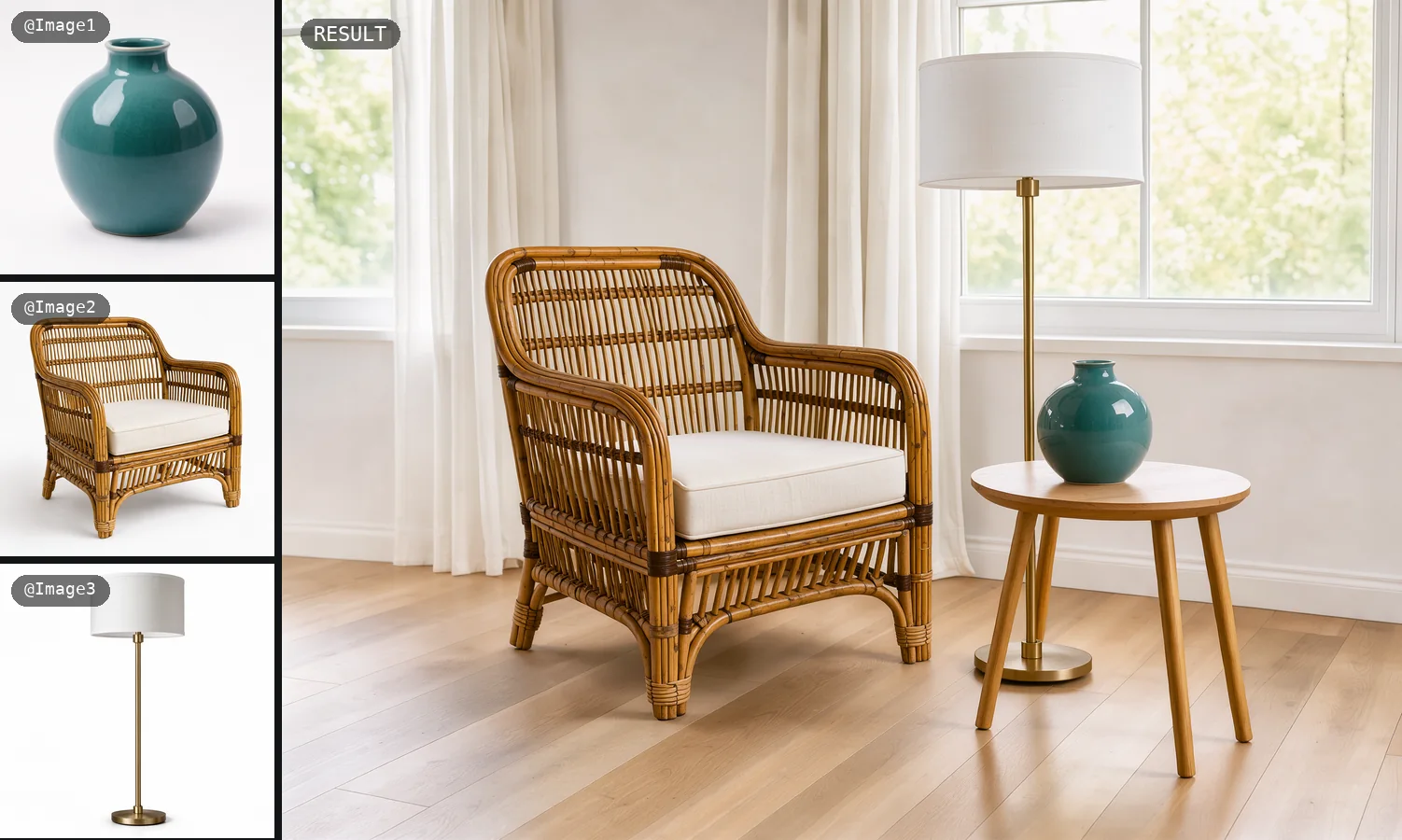
Combine up to 10 references
Add up to 10 pictures (people, products, a room, a style) and describe the new scene. Name each one @Image1, @Image2 and so on, in the order you added them. Reference images anchor the content, while the prompt decides the composition, so say where each thing goes. Here three product shots became one furnished room.
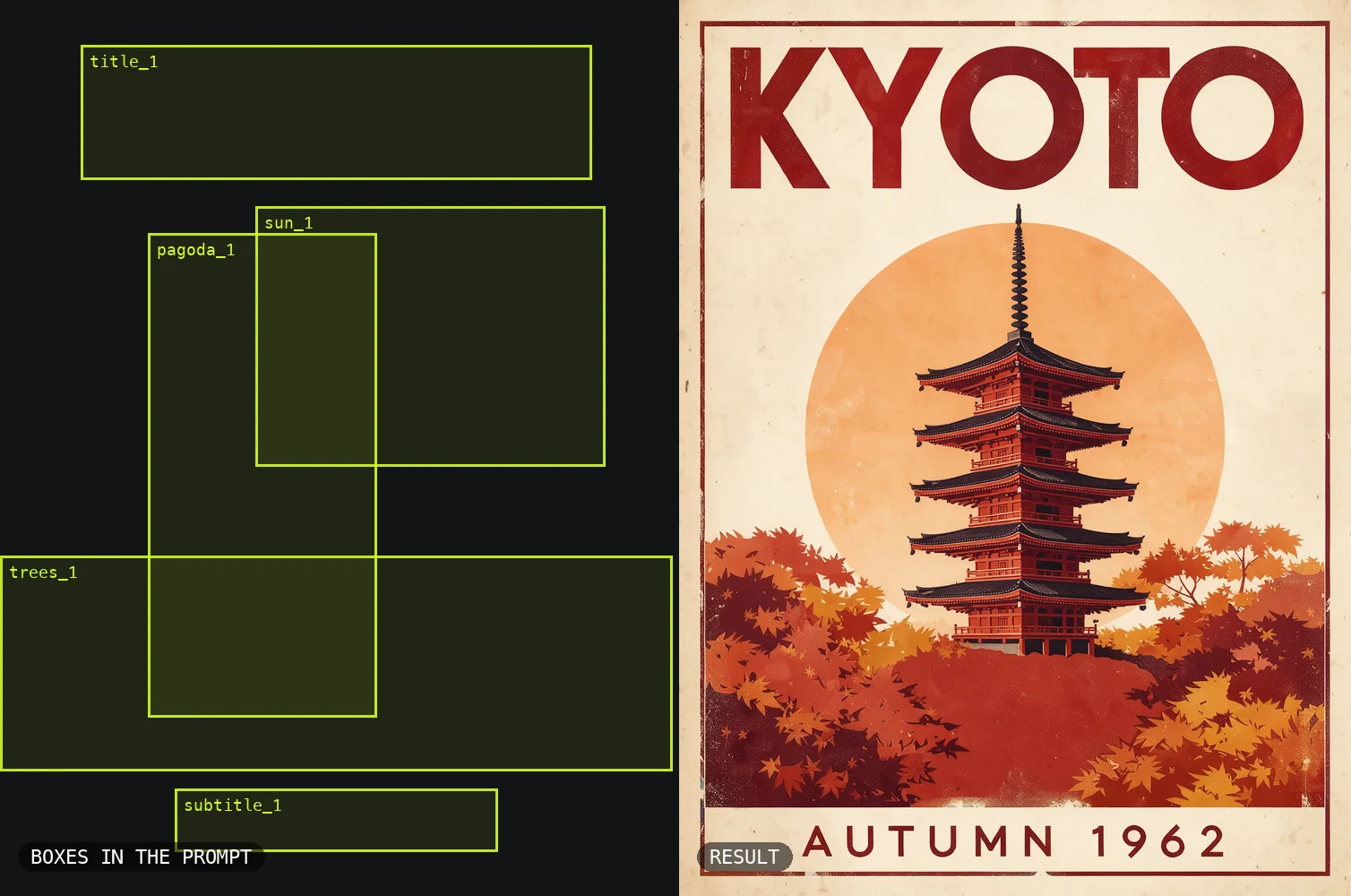
Place every element with bounding boxes
Add a JSON list of boxes to the end of the prompt, one per element, on a 0 to 1000 grid as [top, left, bottom, right], and tag each element in the description. The model draws each thing inside its box. In this travel poster the title, sun, pagoda, trees and date each landed in their own box. Boxes guide placement and scale; they are not a hard mask.
Type and graphic design
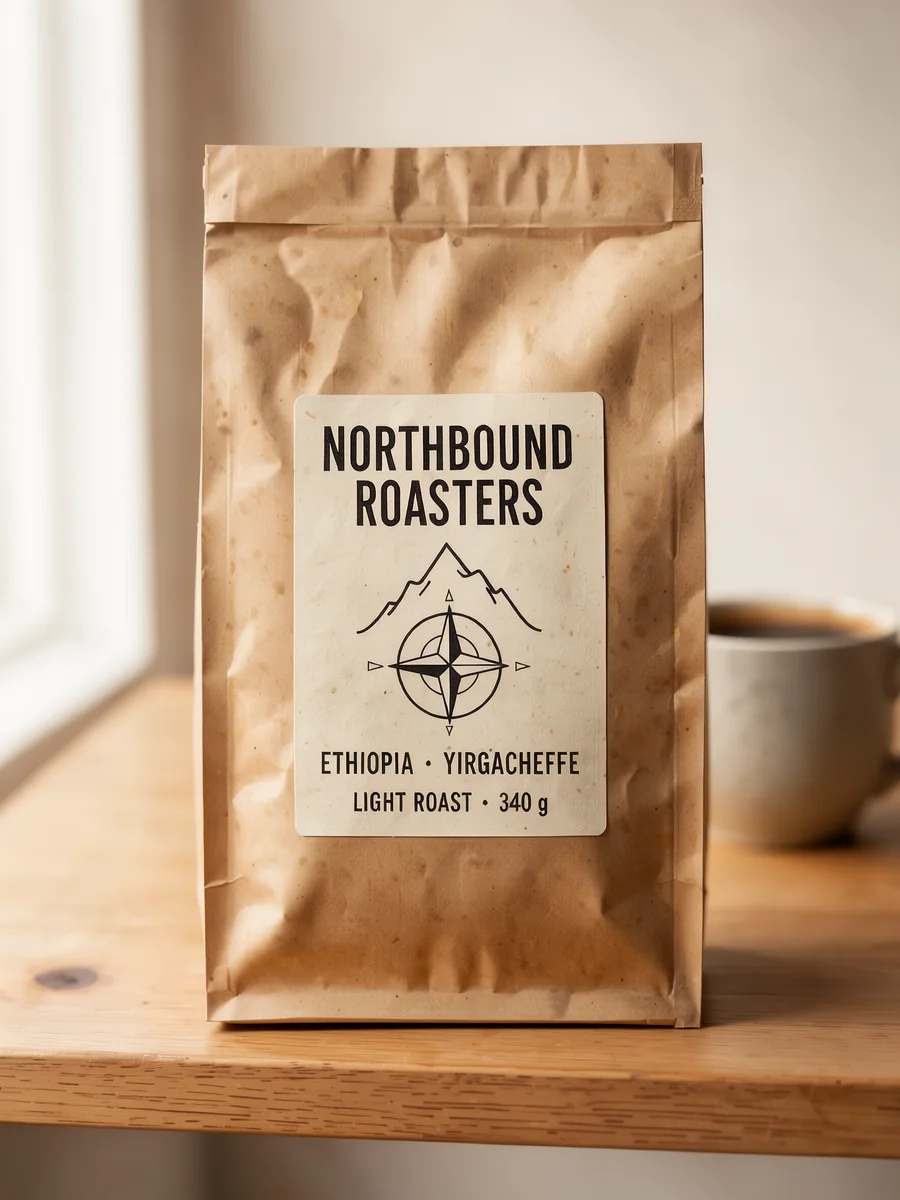
Klein renders text inside the picture, so posters, labels, stamps and covers can carry their words. Put each line in quotes and say where it sits, or give it its own box. This coffee label came out with every line spelled right, down to “340 g”. BFL notes that rendered text can still come out wrong, so check spelling before you use a design.
Photos and styles up to 4K
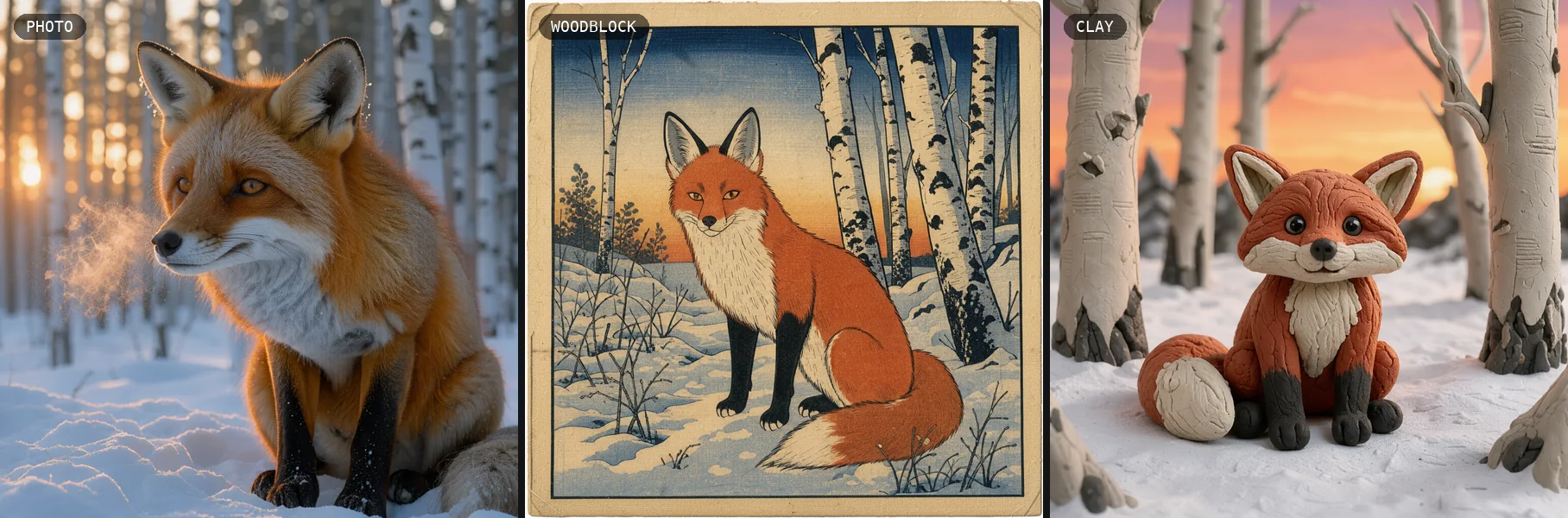
BFL shows Klein on detailed skin, fabric, weather and light, and on styles from woodblock and mosaic to clay, pixel art and anime. Here one fox comes as a wildlife photo, a woodblock print and a clay figure. Pick 4K for print, up to 4,096 pixels on the long side, or 1K for quick drafts at the same 1-credit price as 2K.
Klein vs the other Flux models
All three come from Black Forest Labs. Klein is the one on this site: the open, smaller member of the FLUX 3 family, compared here with its full-size sibling and the FLUX.2 model BFL measures it against.
| FLUX 3 Image Klein | FLUX 3 Image | FLUX.2 [klein] 9B | |
|---|---|---|---|
| Released | October 15, 2026 | October 1, 2026 | January 15, 2026 |
| Parameters | 5.6B | Not published | 9B |
| Weights | Open, FLUX Kommunity License | Not public; BFL API | Open, FLUX Non-Commercial License |
| Jobs | Text to image, edits, up to 10 references | Text to image, edits, up to 10 references | Text to image, edits, multi-reference |
| Largest size | 4K | 4K (about 16 MP) | — |
| Bounding boxes | Yes, in the prompt | Yes, in the prompt | — |
| In BFL’s tests | +91 Elo text to image, +70 editing over FLUX.2 [klein] 9B | — | The baseline |
| On this site | Yes | No | No |
How to use the Flux AI image generator
- 01
Pick a tab
Text to image to start from words, or Image edit to start from up to 10 of your own pictures.
- 02
Write the prompt
Describe the subject, light, camera and style, and put any text in quotes. In an edit, name your images @Image1, @Image2 and say what to change and what to keep.
- 03
Choose shape and size
9 shapes, 1K to 4K or an exact size, and PNG, JPEG or WebP. The price is on the button: 1 credit up to 2K, 2 at 4K.
- 04
Generate and refine
Press Generate. The picture stays under “My images” for 14 days. To change it again, download it and add it to Image edit.
Flux image pricing per picture
One price per picture, set by its size: 1 credit at 1K or 2K and 2 at 4K. Edits from up to 10 images cost the same. An exact width and height is billed at the smallest size with at least as many pixels. Packs from $9.90, no subscription, failed images refunded.
| Model | 1K | 2K | 4K |
|---|---|---|---|
| Klein | 1 credit | 1 credit | 2 credits |
Flux AI FAQ
Something else? Email support@meliesai.com.
Make your first Flux picture
Write a prompt or upload your photos, pick a shape and a size up to 4K, and download the result.
Create an image