
Nano Banana Pro Generator
Google’s Gemini 3 Pro Image model, online: infographics and diagrams, posters with legible text in many languages, product mockups and edits that combine up to 8 of your photos, in up to 4K. No Google AI plan, from 5 credits a picture.
- Gemini 3 Pro Image
- Up to 4K
- 8 reference images
- 10 ratios + Auto
Make a Gemini 3 Pro image online
2K · Auto · No watermark
 Example
What is Nano Banana Pro?
Gemini 3 Pro Image is Google DeepMind’s image generation and editing model built on Gemini 3 Pro, released on November 20, 2025, as the Pro member of Google’s Nano Banana family. Google calls it its reasoning-driven model for professional work: complex graphic design, high-fidelity product mockups and factual data visualizations with accurate text. On Melies AI it runs in your browser, with up to 8 images per edit and no Google AI plan.
Google’s launch post names four strengths. The model turns notes and facts into infographics and diagrams. It renders legible text in many languages, from a short tagline to a long paragraph, and can translate the text in a picture. It blends up to 14 images while keeping up to 5 people recognisable. And it changes camera angle, focus, colour grading and lighting, such as day to night, on request.
This site sends your prompt and images only. Google’s own API can also ground a picture in Google Search results, such as live weather or sports scores; that option is not switched on here. In Google’s October 2026 tests, the newer Nano Banana 2.1 scored higher than the Pro model on overall preference, so try both on the same prompt.
Pick Auto or one of 10 shapes from 21:9 to 9:16, and 1K, 2K or 4K. A square is 1024 × 1024, 2048 × 2048 or 4096 × 4096 pixels, and a 16:9 picture at 4K is 5504 × 3072. Prompts run up to 20,000 characters. Save as PNG or JPEG. Google embeds an invisible SynthID watermark in every picture; no visible watermark is added here.
- Largest size
- 4K
- Reference images here
- 8
- Aspect ratios + Auto
- 10
- Prompt characters
- 20,000
- Released by Google
- 2025
- Credits · one 2K image
- 5
By Google · run through a third-party API · not affiliated with Google · Last updated
What Google’s Pro image model does well
Five jobs Google built Gemini 3 Pro Image for, from data graphics to campaign mockups.
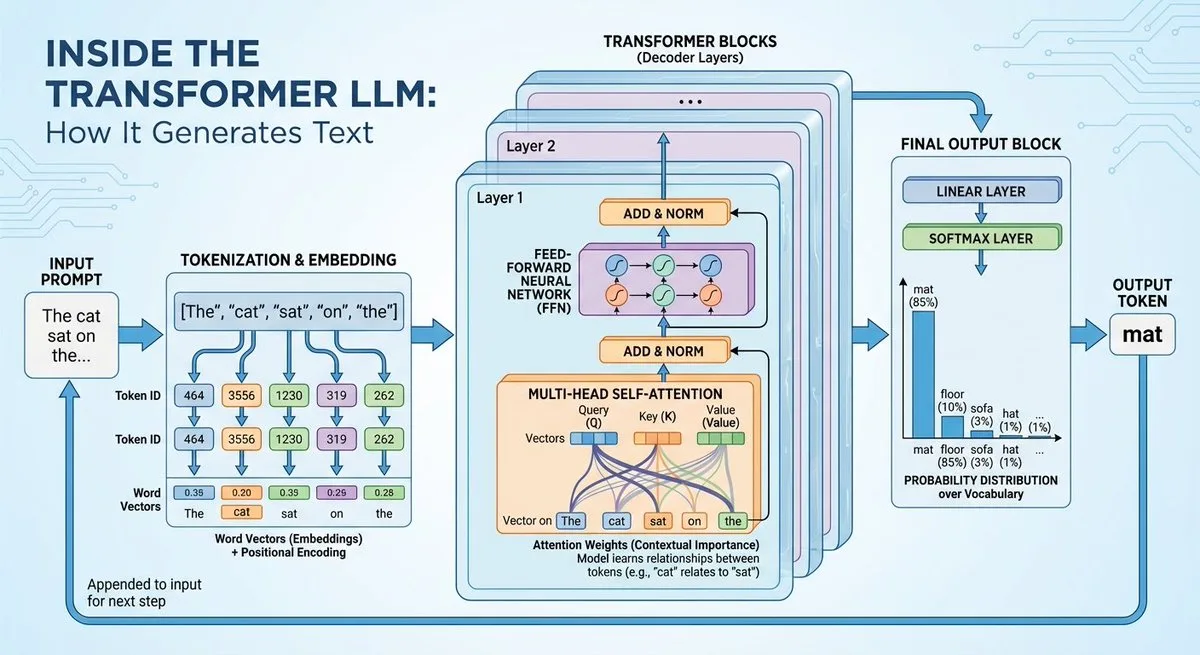
Infographics and diagrams from your notes
Paste notes, a recipe or a list of facts and ask for an infographic, a step-by-step diagram or an explainer. The model lays out headings, labels and icons and keeps the text readable. Check facts in the result, since this site does not connect it to Google Search.
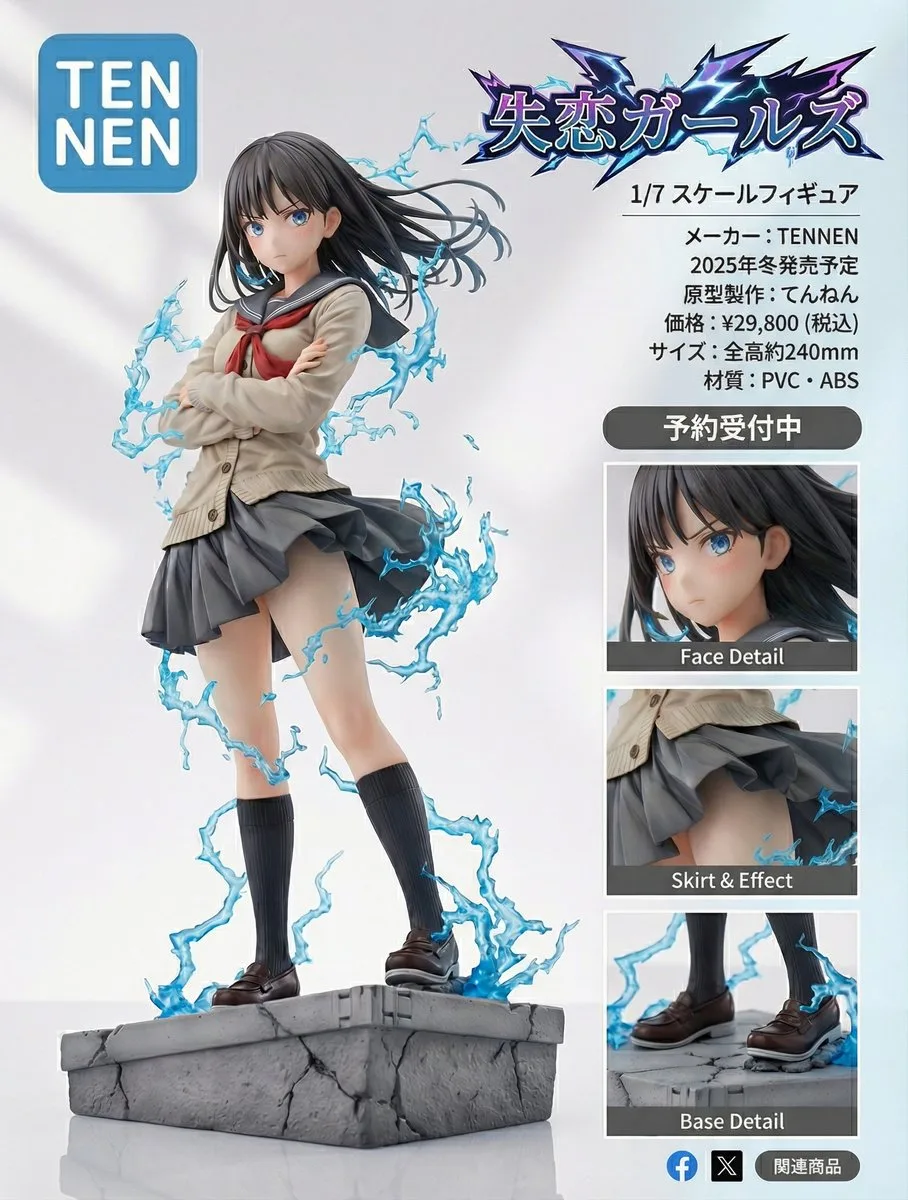
Legible text in many languages
Google built the Pro model for text inside pictures: taglines, poster titles, menus and longer paragraphs, in a range of fonts, textures and calligraphy. Upload a design and ask for the same text in another language to localise a campaign.
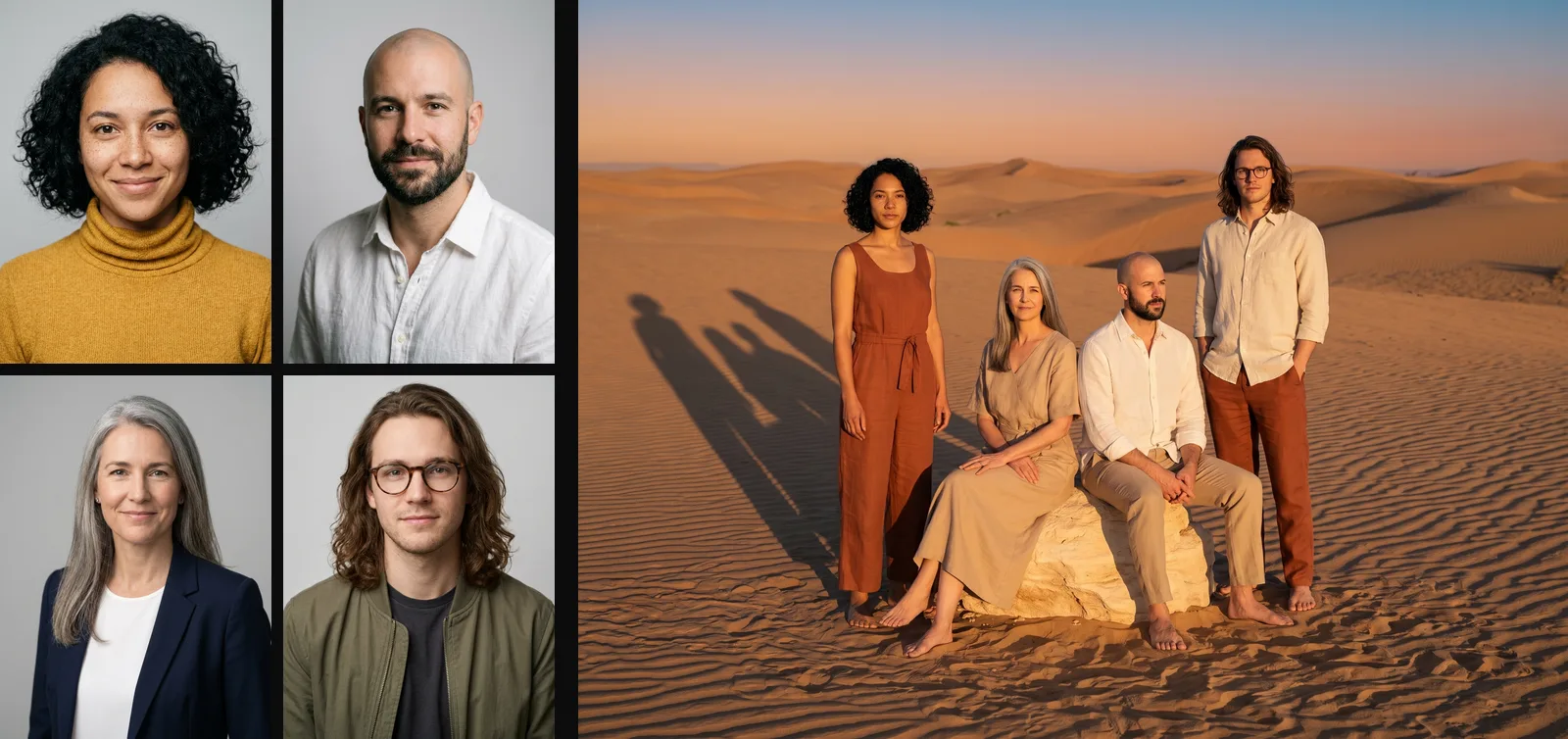
Up to 8 images, people kept consistent
Combine people, products and places from several photos into one scene, such as a fashion editorial with the same faces in a new location. Google’s own API takes up to 14 images and 5 people; this site takes up to 8 images per edit.

Change light, focus and camera angle
Ask in words for studio-style changes to a photo: turn day into night, add a bokeh background, move the focus onto one subject, change the camera angle or apply a colour grade. Name the photo @Image1 and describe one change at a time.
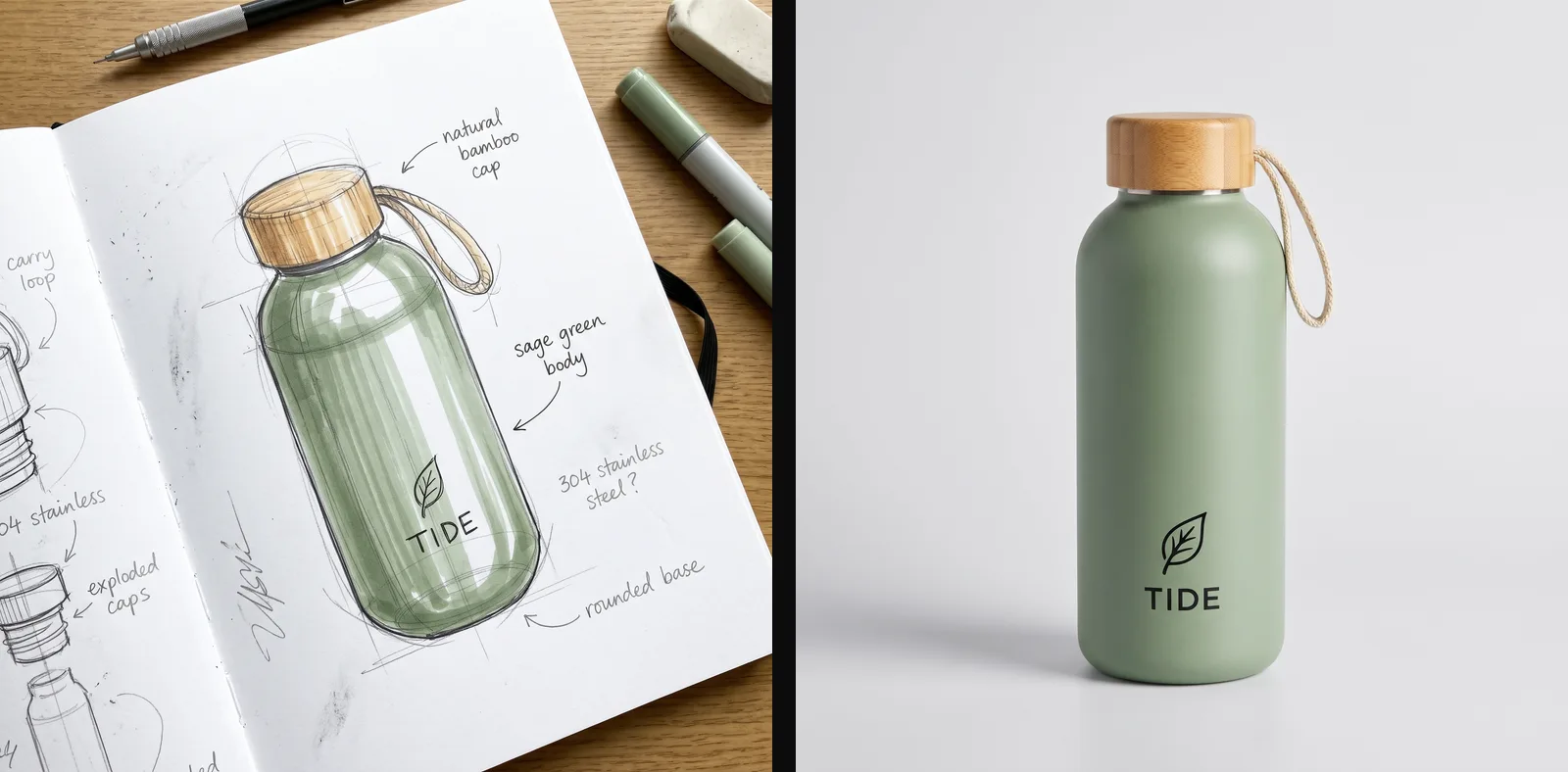
Product mockups that keep your brand
Turn a sketch into a product shot, a blueprint into a photo-real building, or apply one look to a set of mockups so the branding stays the same on every piece. Render the final at 2K or 4K for print.
The Pro model vs Nano Banana 2.1
Both Google models are in the same image generator. The figures come from Google’s docs and its October 2026 model card.
| Pro | Nano Banana 2.1 | |
|---|---|---|
| Google model | Gemini 3 Pro Image | gemini-nano-banana-2.1 |
| Built on | Gemini 3 Pro | Gemini 3.6 Flash |
| Released | November 20, 2025 | October 6, 2026 |
| Google pitches it for | Complex design, product mockups, data graphics | Fast, efficient everyday generation and editing |
| Sizes | 1K, 2K, 4K | 1K, 2K, 4K |
| Aspect ratios | 10, from 21:9 to 9:16 | 14, from 8:1 to 1:8 |
| Reference images here | 8 | 10 |
| Overall preference (Elo) | 935 | 1050 (thinking on) |
| Price here | 5 credits (1K, 2K), 6 (4K) | 1, 2 or 3 credits |
How to use Google’s Pro image model
- 01
Pick a tab
Text to image to start from words, or Image edit to start from up to 8 of your own pictures.
- 02
Write the prompt
Describe the subject, layout, light and camera, and put any text in quotes with its language. In an edit, name your images @Image1, @Image2, say what to change and what to keep.
- 03
Choose shape and size
Auto or one of 10 shapes, and 1K, 2K or 4K. The price is on the button: 5 credits up to 2K, 6 at 4K.
- 04
Generate and download
Press Generate and save as PNG or JPEG. The picture stays under “My images” for 14 days.
Gemini 3 Pro Image pricing per picture
One price per picture: 5 credits at 1K or 2K and 6 at 4K. Edits cost the same however many images you upload. Packs from $9.90, no subscription, failed images refunded.
| Model | 1K | 2K | 4K |
|---|---|---|---|
| Pro | 5 credits | 5 credits | 6 credits |
Gemini 3 Pro Image FAQ
Something else? Email support@meliesai.com.
Make your first Pro picture
Write a prompt or upload your photos, pick a shape and a size up to 4K, and download the result.
Create an image